Wireless
Wireless internet is available throughout Funk Library. IllinoisNet is accessible throughout the building and requires a valid UIUC NetID to connect. For more information about how to access IllinoisNet, please visit the Technology Services Wireless page. For campus visitors, Funk Library also has IllinoisNet_Guest, which is available to campus visitors on a temporary basis. For information about UI Public Wireless, please visit the Technology Services page.
Computers
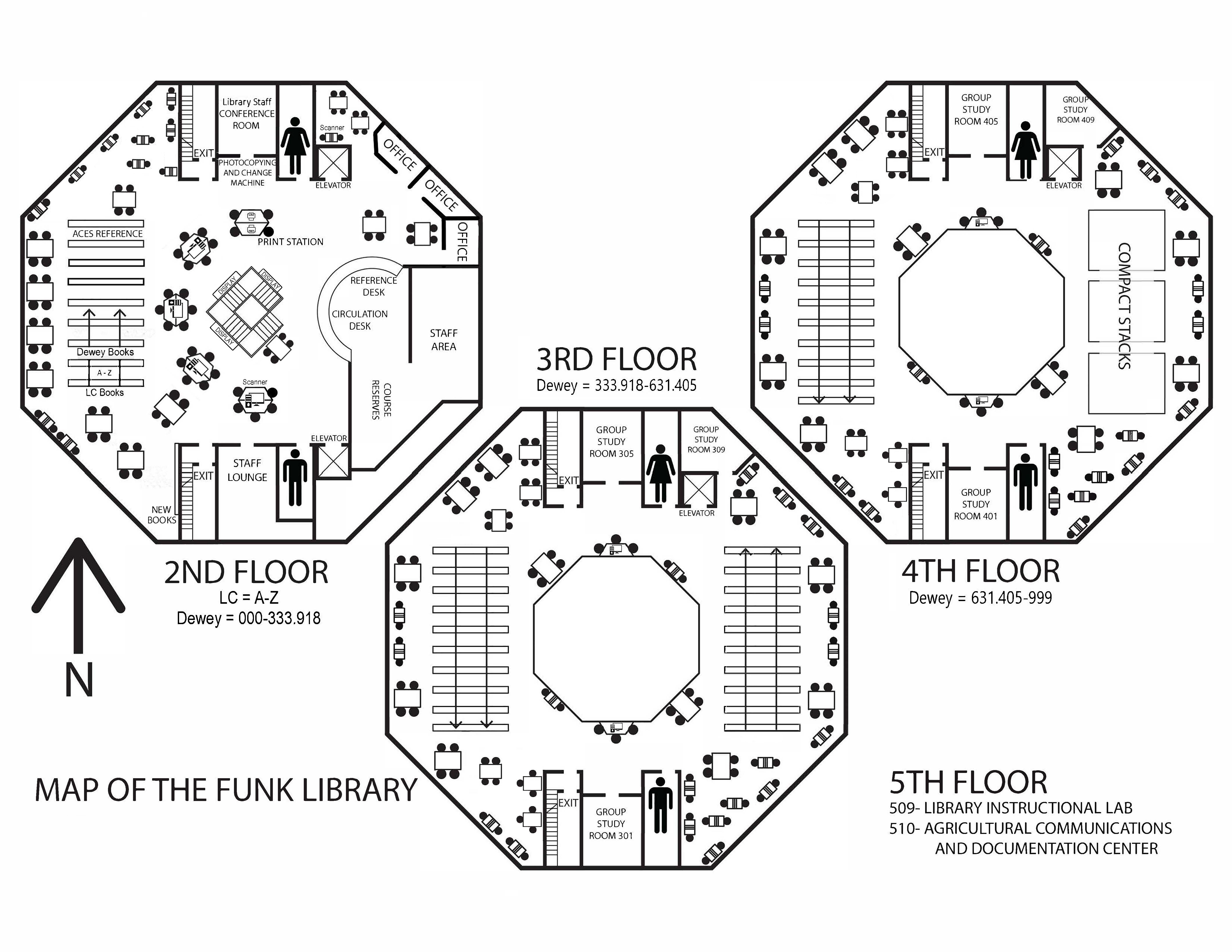
There are Windows PCs and laptop docks available on the second and third floor of Funk Library. Computers for public use are on the second floor. These computers can all access the internet. You can also use Remote Desktop to connect to UIUC AnyWare to use specialized programs (Adobe suite, ArcGIS, SPSS, Living Cookbook, and other popular programs). On the library’s computers, the Remote Desktop Connection program is found in the Accessories folder on the Start Menu. Problems with Remote Desktop can be reported to the ACES Technology Services via email. (Note: there are special instructions for saving work to a flash drive when connected via Remote Desktop.)
Printing
Where
Printing is available from all public computers in Funk Library and from personal laptops via web printing. Black and White documents as well as Color documents will print at the public printers on the 2nd floor and need to be released via Papercut. Double-sided printing for both Black and White and Color is also available Web Print. Please select the “2-sided” print option to print out on both sides of the paper.
For specific instructions, consult this Library Printing page.
(Note: The Funk ACES library does not have large format 11×17 printing)
How Much
Printing at Funk Library costs $0.10 per page for Black and White printing, $0.40 per page for Color printing. UIUC students must pay for print jobs with Paid Credits on their Authorize.net account. Faculty and staff can charge print jobs to their university accounts. All users have the option to pay cash, but will have to pay and pick-up printouts at the Grainger Engineering Library.
Click here to know how to request a refund for a print job that did not work correctly.
Scanning
There are two scanners on the second floor of the Funk Library; one available for public use, one requires login with a valid University of Illinois NetID.
Doc Express is a scanning service to obtain articles or chapters from our print collection. The services is free of charge to UIUC faculty, staff, and graduate students; undergraduate students are charged $5.00 per article (up to 30 pages per article). For more information on this program, please read the UIUC Doc Express page.
Faxing
There are no public fax machines in any of the campus libraries. Fee-based fax service is available at Document Services in the Illini Union, Champaign Public Library, and Urbana Free Library.
Loanable Technology
Funk Library has a small selection of technology accessories that can be checked out to patrons possessing a valid i-Card. These items are only for use within the library, and most have a two-hour loan period. The accessories include some Apple laptop/iPad/iPhone charger cables, micro-USB charger cables, and USB power adapters. Click here to see the full list of our loanable technology.