The University Library catalog is the best tool to discover the library’s entire collection of books, e-books, journals, and more. This walkthrough will cover how to locate books and journals, making requests, and using your library account.
Accessing the Library Catalog
Visit the Library Catalog.
Other ways to access the Library Catalog:
Run a search in Easy Search on the Library’s homepage. Type in your keywords, click Search, and results from the Library Catalog will show up in the center column of the screen. Click on “Library Catalog” to see the full list of results, or on any item to see more information.
Click on “Library Catalog” under “Find Books” on the Math Library’s homepage.

Searching the Library Catalog for Books
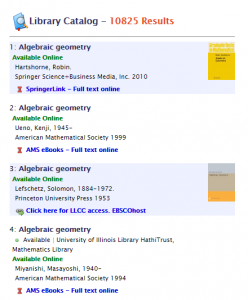
To search for a book, put the title, author, ISBN, or subject into the search box. Results will be labeled with where each item is located- it will either be marked as Available Online or with the physical library location.
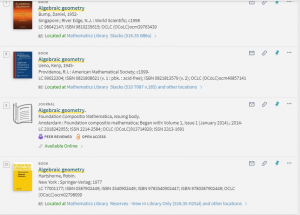
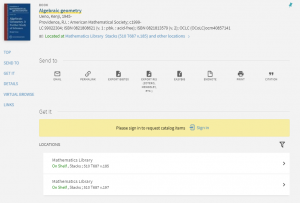
Click on the title of any item to see more information, including its call number and library location, availability at other I-Share libraries, bibliographic information, and more.
Searching the Library Catalog of Journals
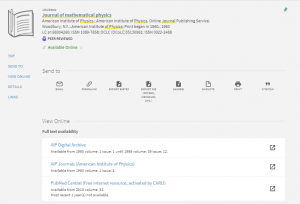
Search for journals in the same way as books. Results will be labelled with each journal’s location – either Available Online or its location in the library.
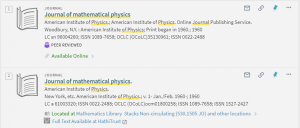
Click on a journal title to see more detailed information including available editions, as well as links for different methods of accessing the journal.
Narrowing Your Results
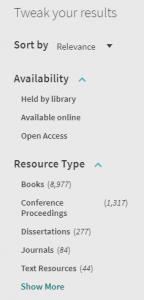
The library catalog has excellent features to customize your search results to fit your needs. You can narrow your results by using the “Tweak your results” options on the left-hand side of the page. Narrow by availability, resource type, library location, date, language, and by items new to the catalog.
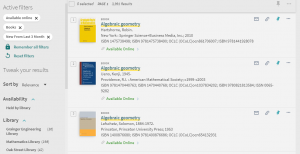
After selecting your desired filters and clicking “Apply Filters,” the catalog will update your results and show you the filters you are using at the top of the “Tweak your results” column. In this search, filters are set to show books that are available online that have been newly added in the last three months.
Requesting Items
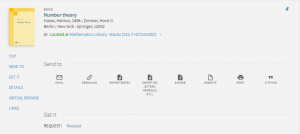
To request an item in the catalog, you will need to sign in using your NetID and password. You may also need to use two-factor authentication. You will see the option to sign in after you have clicked on an item.
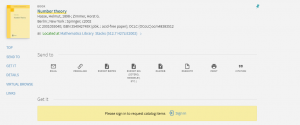
After signing in, click the “Request” button.
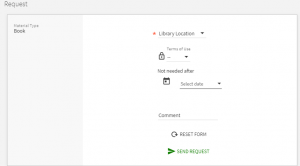
Fill out the small form indicating where you would like to pick-up the item and other details, then click “Send Request.” You will receive an email with further information after your request has been fulfilled.
Using Your Account
You can view or log-in to your account in the top right corner of the page while using the library catalog.
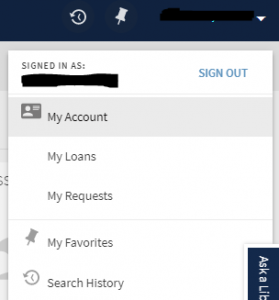
Click on “My Account” to access your currently checked out items (and have the option to renew them), your requests, and any fines or fees. You can also view your search history and any saved searches or items.
For more detailed guidance on using the library catalog, including topics like advanced searching and I-Share, you can visit this LibGuide on the topic. You can also e-mail us at math@library.illinois.edu.