ReNamer Lite is one of the three renaming softwares we use to rename files and folders.
How to rename:
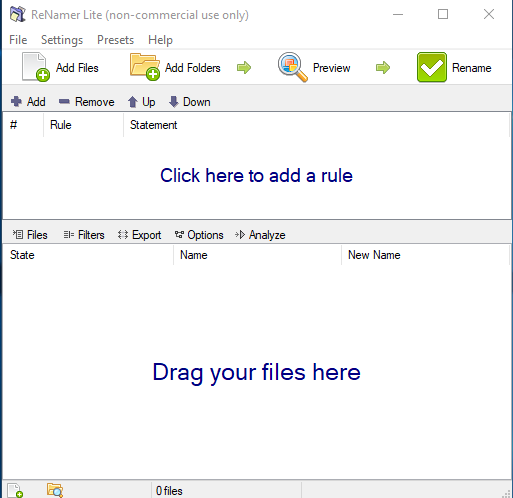
- Open ReNamer Lite and make sure there are no files queued in it or “rules” created. It should look like this.
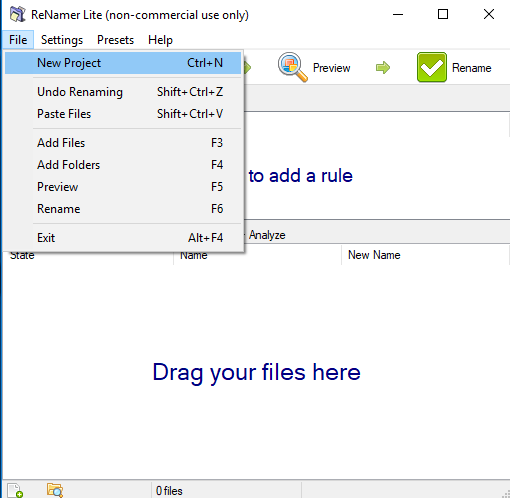
- You can also select the “New Project” option under the “File” tab to clear.
- You can also select the “New Project” option under the “File” tab to clear.
- Click on the “+/Add” or the “Click here to add a rule” to select how you would like to rename the desired files. Some common methods we use are “delete”, “remove”, “insert” and “replace”; although you may use other methods.
- Select which “rule” is appropriate for the renaming job.
- You can stack several “rules”!
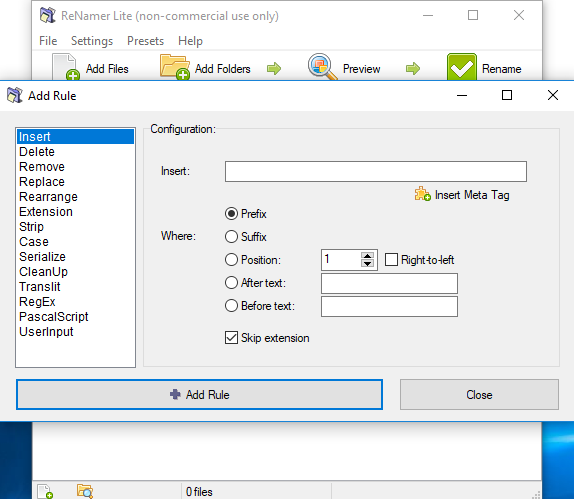
- Select which “rule” is appropriate for the renaming job.
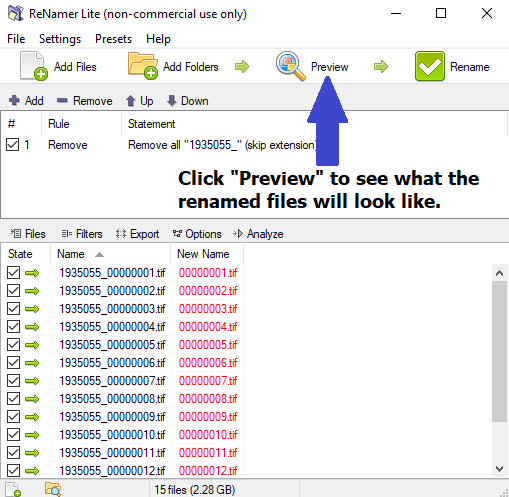
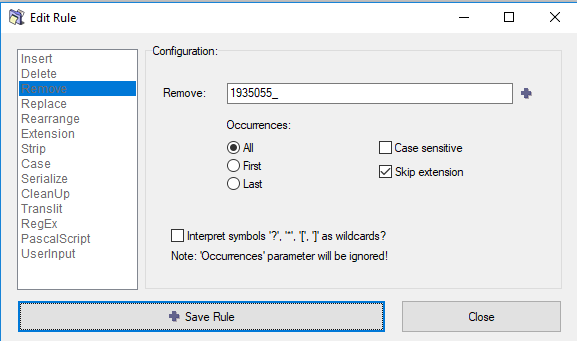
- As an example, here is what it will look like when you remove bidIDs from file names.
- Add the files by dragging and dropping them into the ReNamer Lite or by selecting the “Add Files” option and navigating to the files.
- Set a “remove” rule and put in the bidID.
-
- You can update the rule by double clicking on the rule applied.
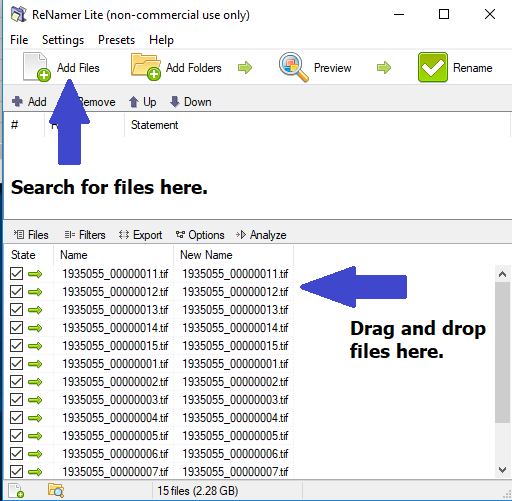 You can preview the new file names by selecting the “Preview” option. The “New Name” will be displayed in red and will change when you update the rule.
- When you are done, click the “Rename” option and files will be renamed.